
Power-Apps-Solutions
Power Apps
1. Authenticator App
Authenticator Power app will be used to re authenticate the current user by logging of him from Power App.

- We are using Office 365 out of the box log off feature to re authenticate the user.
- We are using canvas app application for this app to support mobile, tablet and desktop screen resolutions.
2. CRMR App
-
CRMR (Conditional Release Material Repository) App will be used to initiate and monitor full life cycle of Quality Management System Documents. -
App provides features like create new Material, adding Commitment form for each Material, 5 step Approval process with E-Sign option with separate passphrase configuration, Follow-Ups for Commitments. -
Additional features like Material extension followed by approval process, closures, Dashboard, Activity Log for tracking approvals, adding Attachments, print to PDF and Email notifications.


- We are creating predefined configurable template to generate HTML mark up of the form and filling form details with dynamic values then sending HTML to Power Automate for converting to PDF file.
- We are using configurable multiple approvers from SharePoint List for each step and tracking approval with current logged in user.
- We are generating approval signature for each step and logging the same to Activity Log.
- For each step we are capturing log and appending same list item field with delimiter and showing that content as Activity Log.
- We are using collection filter query to filter Dashboard data on the Data source.
- We are capturing multiple attachments as User input and storing them in collection as JSON string, then we will send the data to Power automate and Parsing JSON string to object, uploading attachments to SharePoint Library.
- We are enabling, disabling controls based on Workflow status and enabling Approve, reject buttons for approval whenever appropriate user logs in to the app for specific Workflow step.
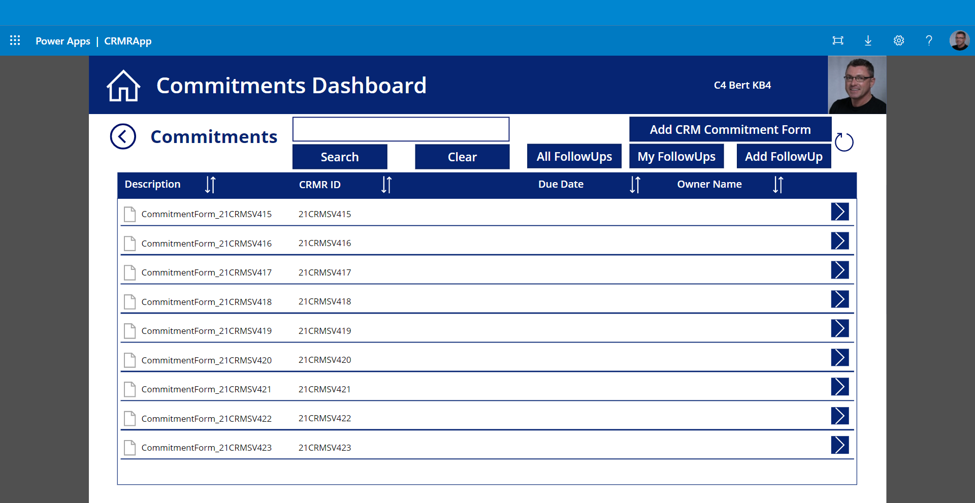
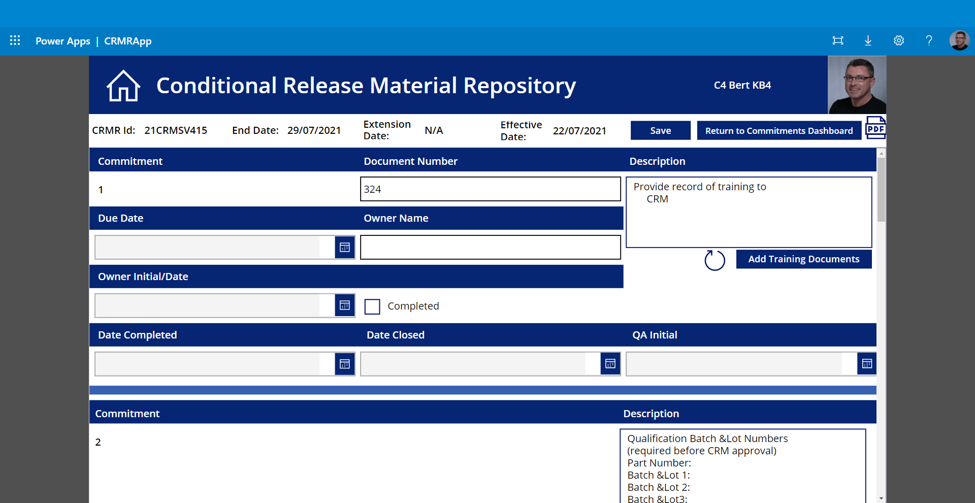
- We are using reusable header component across all screens of the app, which is having App Name, Logo, Username and User Avatar.
- We are providing sort option on Dashboard for all columns using collection sort query on Data source.
- We have customized the Gallery control with table header and added header columns to achieve Dashboard UI.
3. DocuSign App
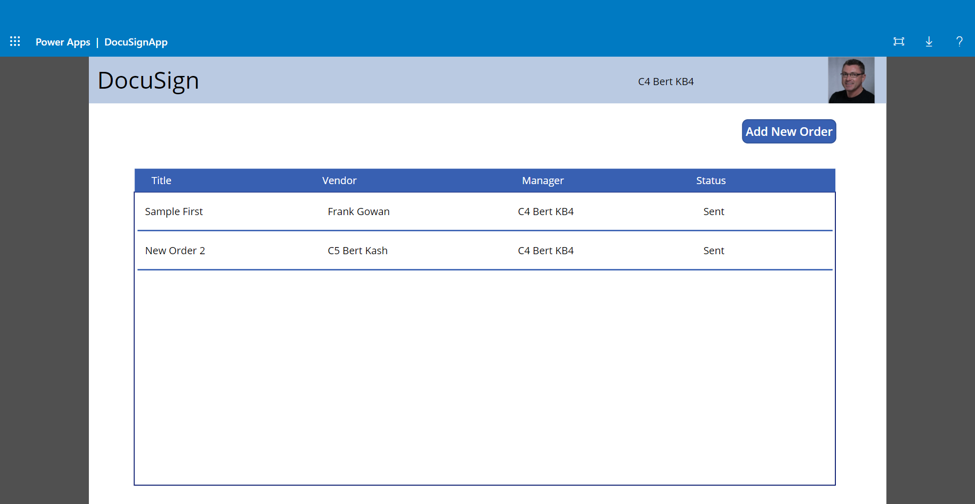
DocuSign App will be used to demonstrate how to get digital signed purchase order document from Power app.
- We are using reusable header component here also for App Name and User Info.
- We have customized the Gallery control to show Dashboard UI here also.
- We are using combo box control to search people and capture Manager and Vendor.
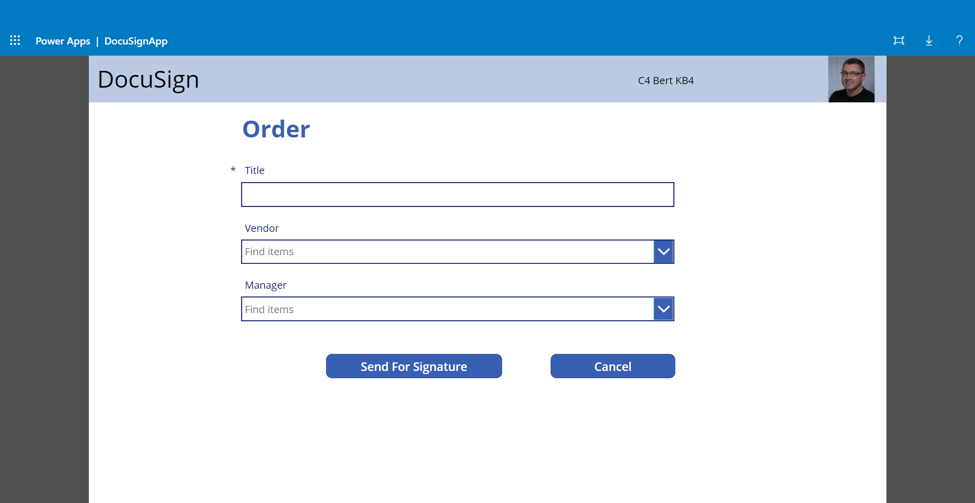
- We are sending captured Manager and Vendor to Power Automate to create envelope and send for digital signature.
- We are showing Signature status in the Dashboard tabular view from SharePoint list item.
4. E-Sign App
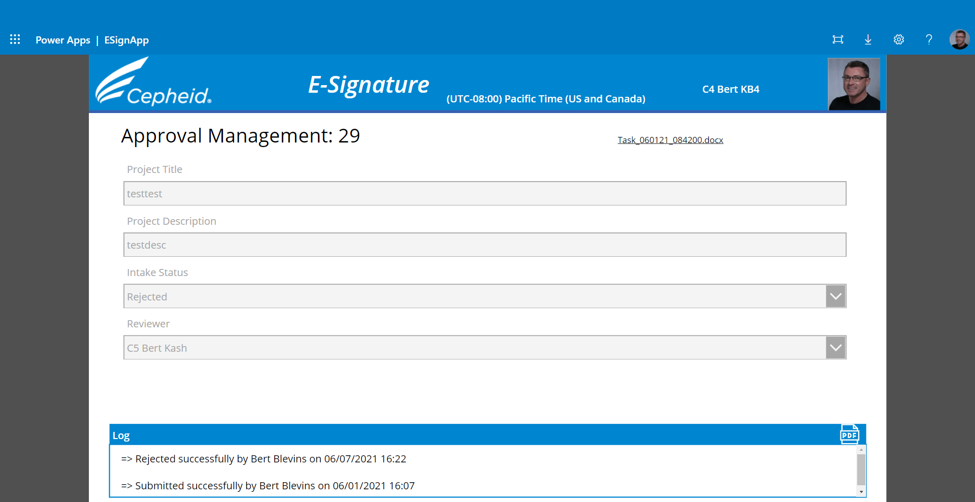
E-Sign App will be used to provide digital signature by entering passphrase while providing approval for
- We are configuring all users Passphrases in SharePoint list.
- We are tracking each user had set up Passphrase or not, whenever user logs in and prompting user to set up passphrase.
- We are masking the Passphrase using Power App tools and capturing it and sending to Power Automate for encoding it and saving back to SharePoint list.
- We are using same Power Automate flow to decode the Passphrase whenever the user enters Passphrase for any Approval.
- We are also tracking unsuccessful attempts of Passphrase from the configures SharePoint list.
- We are also sending a Email notification to Admin, whenever the Unsuccessful attempts are 5.

5. IT Change Control App
We are using reusable header component for customizing Logo, App name, User Info.
We are using Power Apps OOTB buttons and customizing them to look like Tiles View Home screen.
We are using Global color variable to have unique blue color across the App to look uniform.
We are using X, Y co-ordinates
We are using X, Y co-ordinates of each control to align one after another with exact spacing and padding between controls to look uniform.
We are using OOTB attachments control to capture attachment and using Power Automate to save the attachments.
We are using combo box to search people and capturing them using variables.
We are using configurable SharePoint list for email templates.
We have customized the Gallery control to look like Dashboard with table header.
We are using collection sort and filter queries for sorting, search data on Data source.
We are using rectangle control and labels with controls grouping logic to show them as Help text pop ups.
We are using E-Sign feature whenever user need to provide his approval.
We are using SharePoint Multiple lines of text append feature to capture log with specific delimiter.
We are using power automate to
We are using power automate to export ITCC request data into PDF file.
We are using SharePoint list to configure approvers for each step based on System selected.
We are also dynamically changing workflow to single and multiple approvers based on SharePoint list configuration.
We are using Office 365 Outlook connection in Power app to send emails.
We are using Power Automate to send reminder emails for pending.


IT Change Control App will be used to creating new Change Control request and followed by multiple approvals based in Change Control type like Emergency, Expedited and Normal. This app will provide features like adding attachments, activity log for tracking workflow and E-Sign option for approvals.
Additional features like multiple dashboards for accessing all Change Controls, My Pending Approvals, All Pending Requests, Prior, Current, Next week Change Controls, print to PDF and Email notifications etc.


Approval process is fully configured in SharePoint list, for every system type we can change approvers for IT, System Owners, Software Quality and make single/multiple approvers.


ITCC Request can be rejected at any step and same request can be resubmitted with additional details, attachments by requestor then request will be routed to same approval process.
